

BBS RC (Style 5) Adapter and Center Cap Install Guide
The BBS RC family covers several different wheel designs and fitments. Depending on the RC model, the wheel may have the traditional BBS cross-spoke appearance, a deeper centre section or a more open motorsport-style face.
The large removable centre is one of the most recognisable features of many BBS RC wheels. It conceals the wheel bolts and finishes the centre of the wheel with the familiar BBS waffle plate and hexagon arrangement.
This guide explains how to assemble and install the Mod-ing RS looking BBS RC aluminum centre cap.
Parts Overview
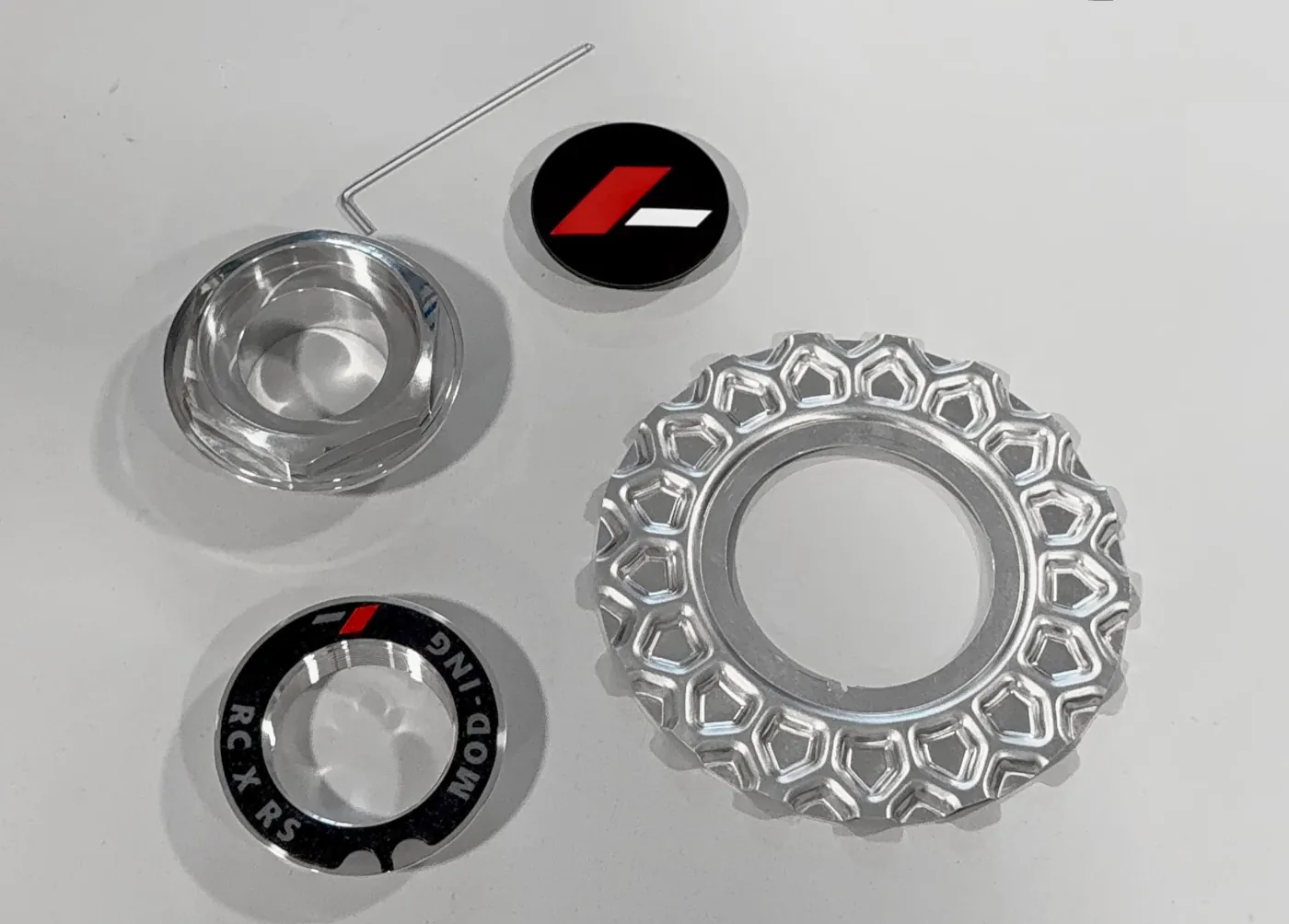
Before beginning, familiarise yourself with the four main components of the centre cap assembly.
The BBS RC aluminum center cap assembly consists of:
- Wheel threaded adapter (alu)
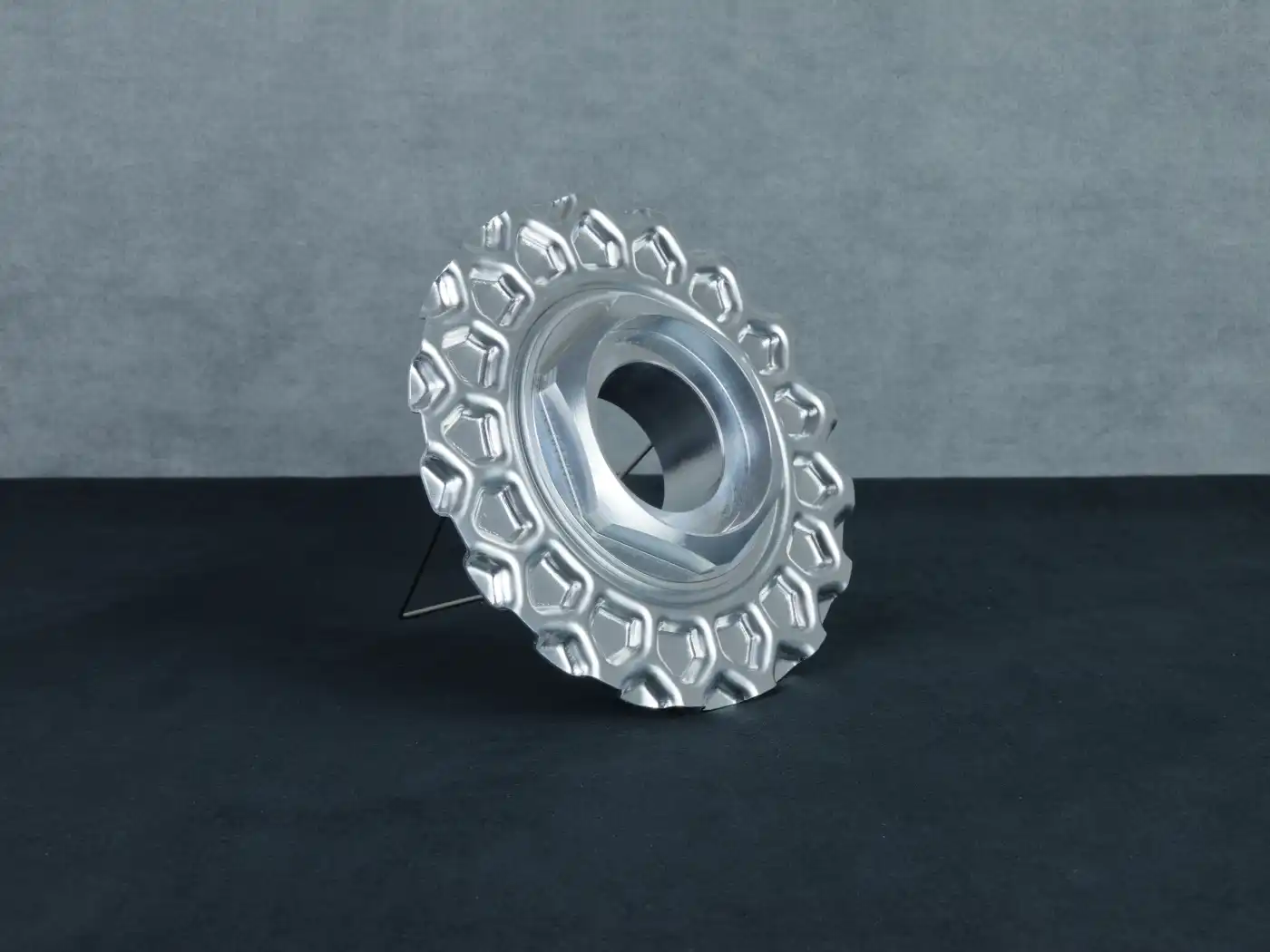
- Waffle plate d = 168 mm (alu)
- Threaded 58 mm hexagon – RS compatible (alu)
- Emblem holder (plastic)
The only tool required is an Allen key for securing the adapter. An optional Mod-ing wheel hex key wrench is also available for tightening and removing the outer hexagon more comfortably.
Step 1 – Install the Wheel Adapter
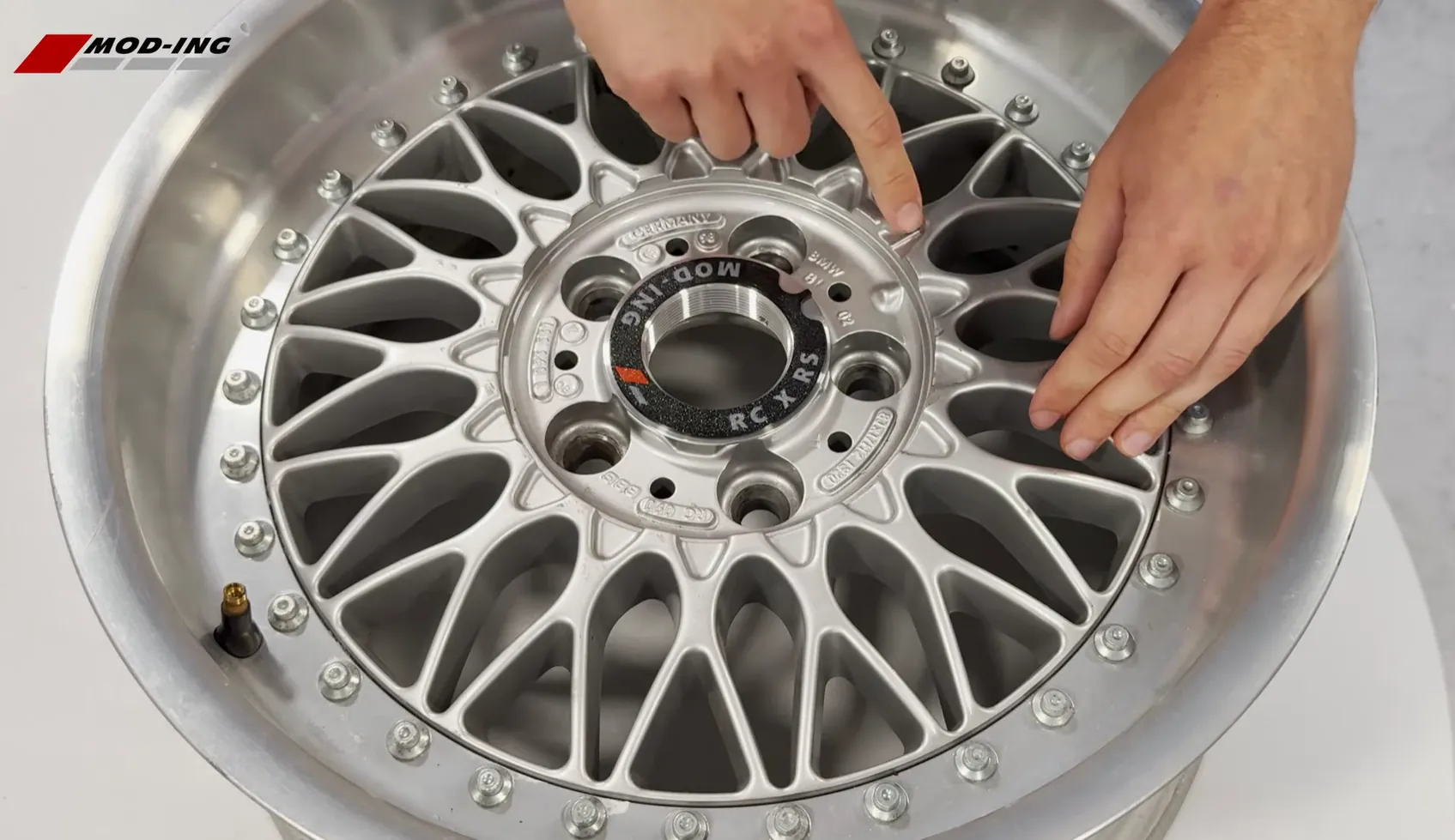
The adapter is the only component that mounts directly to the wheel.
Place the adapter into the wheel centre and locate the three mounting screws. Before tightening them, identify the alignment tab on the adapter.
This alignment tab should point towards the alignment line on the wheel. Correct positioning ensures that the waffle plate and hexagon sit in the proper orientation once assembled.
Leave the screws slightly loose until the waffle plate has been installed.
Step 2 – Install the Waffle Plate
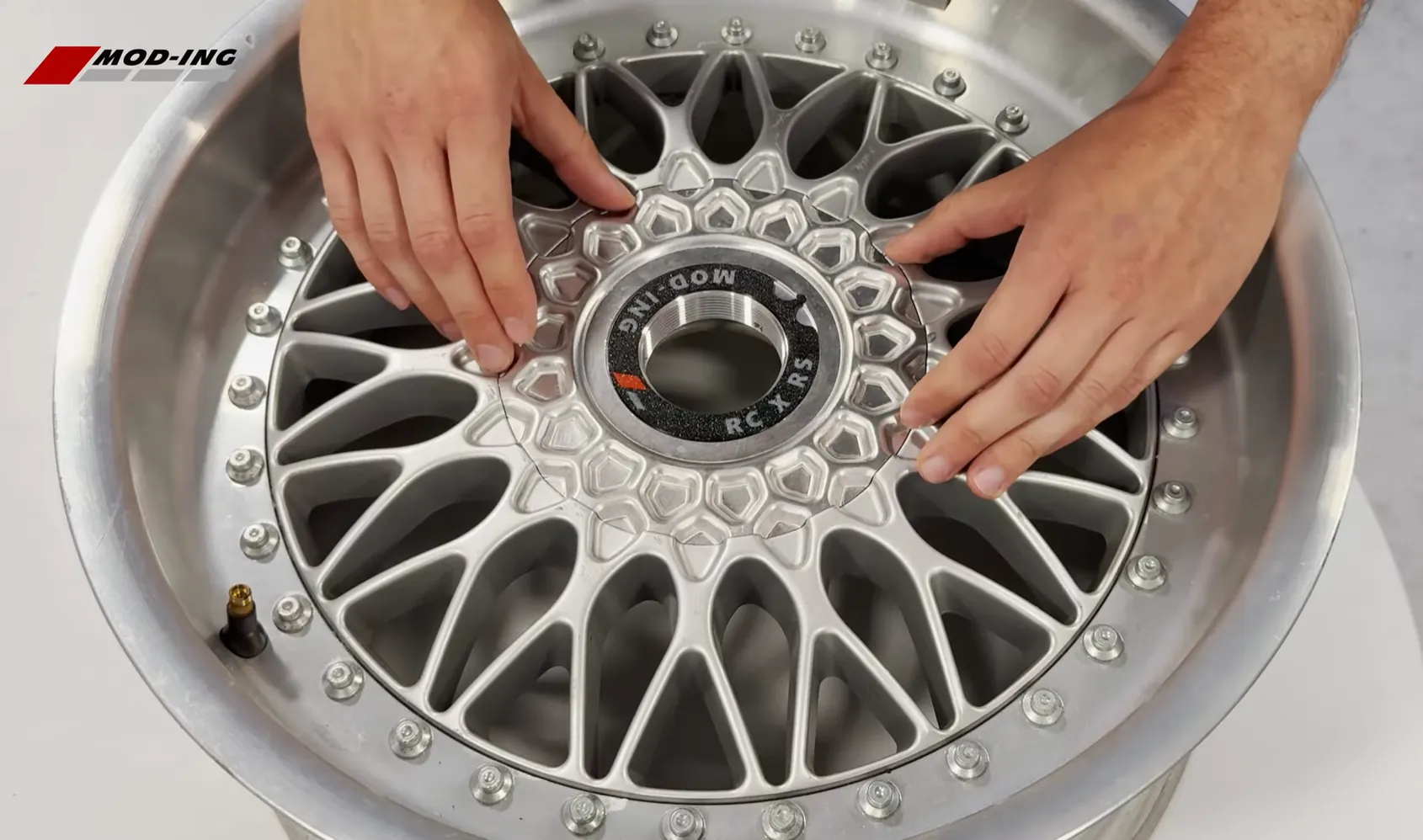
Position the waffle plate over the adapter.
On the inner circle of the waffle plate you will find a small locating notch. This notch fits over the alignment tab on the adapter.
Rotate the waffle plate until both features align correctly.
The waffle plate should sit flat against the adapter without force.
Once aligned, tighten the three adapter screws evenly until the adapter is securely fixed to the wheel (if screws are not tightened equally the waffle plate might be a bit off center in alignment).
When correctly installed, the adapter should remain firmly attached to the wheel without any movement.
Step 3 – Install the Hexagon
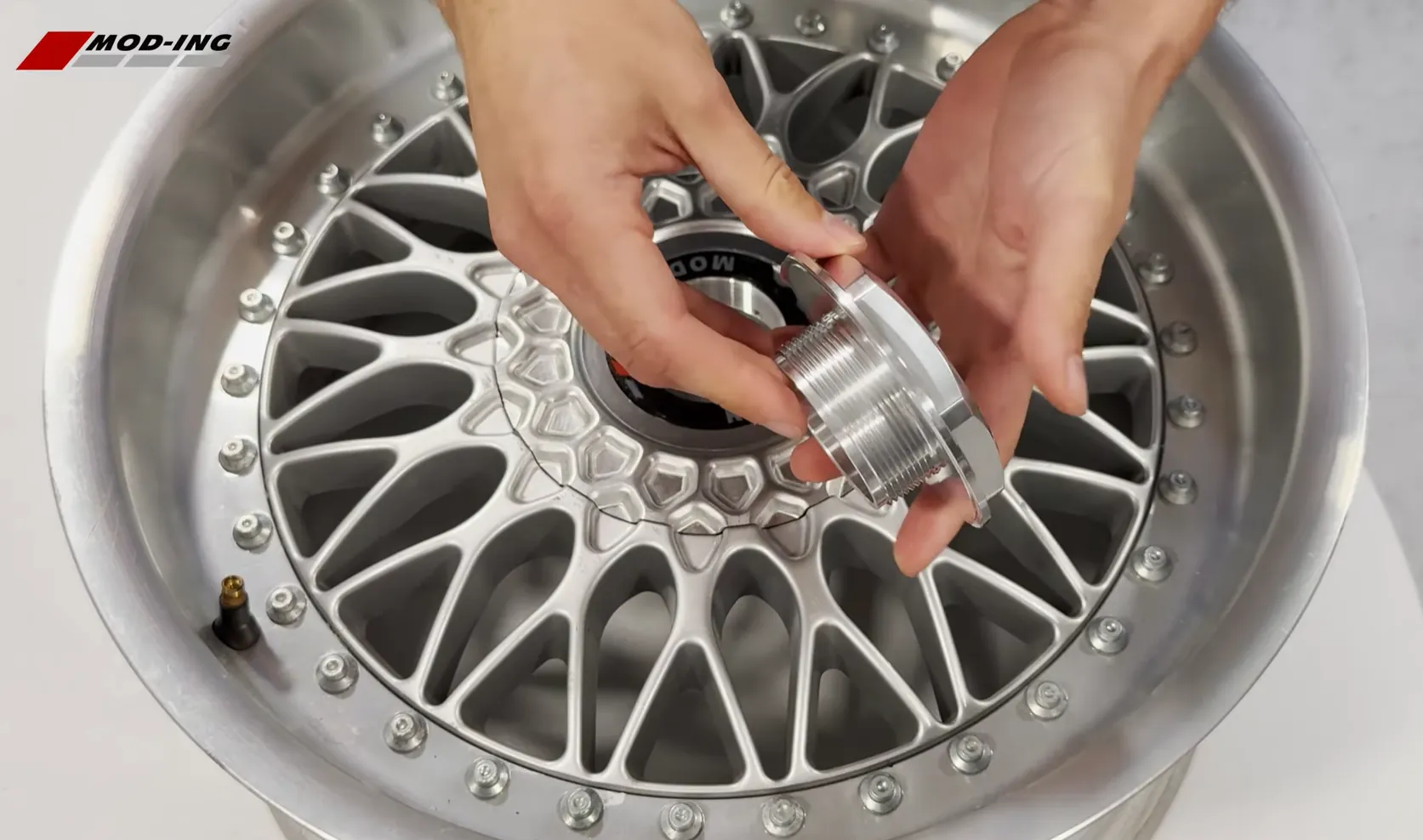
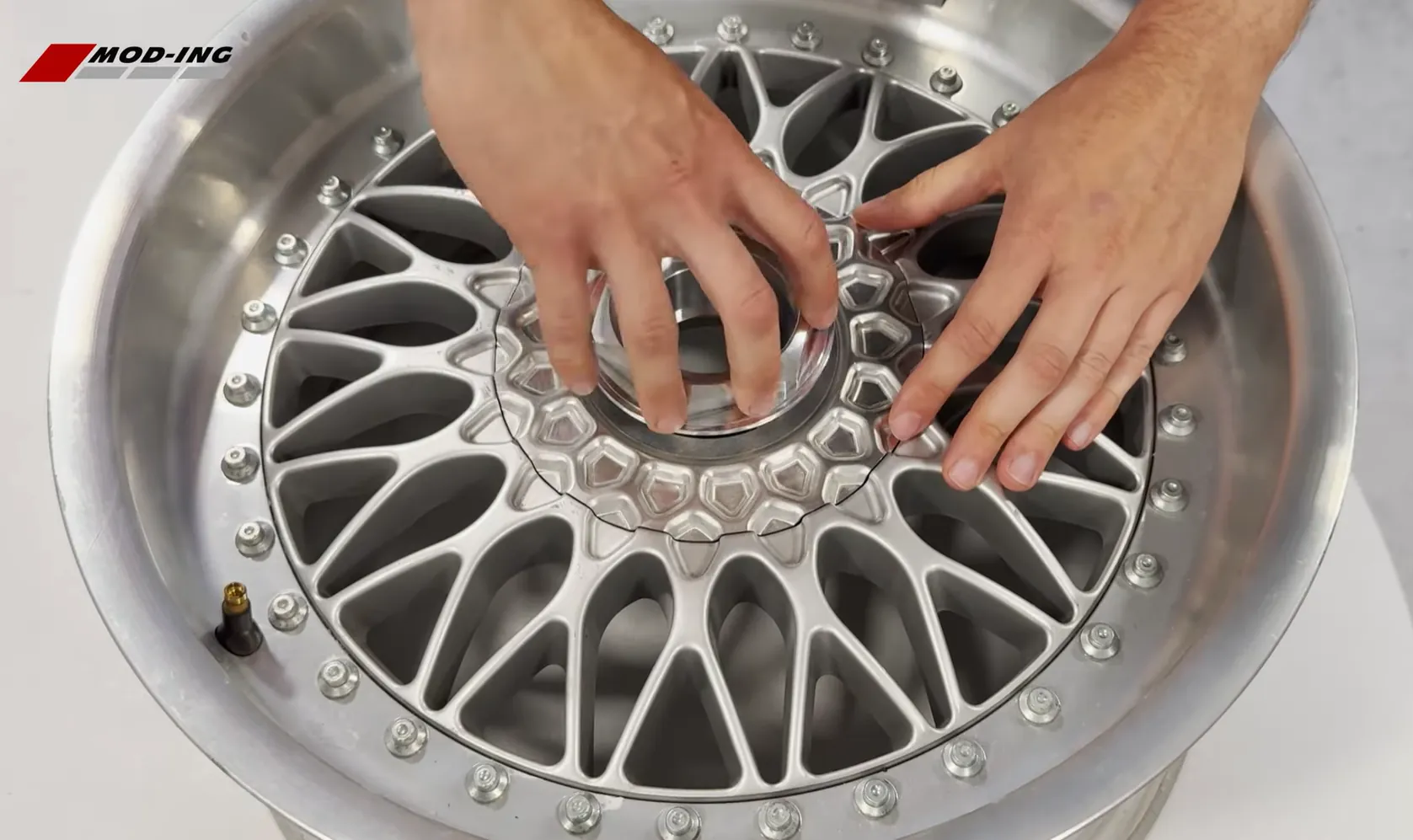
Thread the hexagon into the centre adapter by hand.
The threads should engage smoothly without excessive force. If the hexagon feels tight immediately, remove it and begin again to avoid cross-threading.
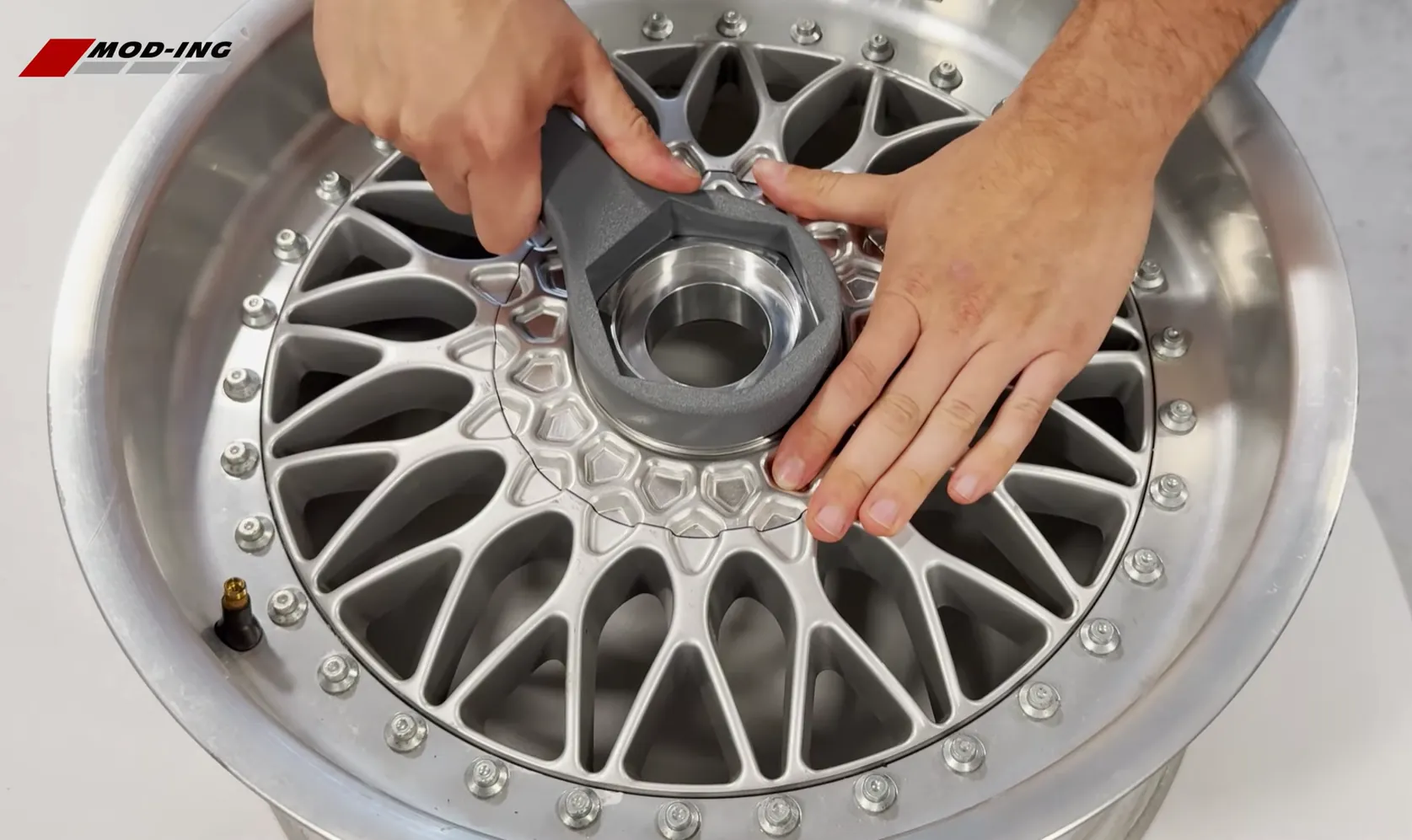
Once the threads have fully engaged, tighten the hexagon using the Allen key or the optional Mod-ing hex key wrench.
The centre cap only needs to be tightened until the waffle plate is held securely against the wheel. Excessive tightening is unnecessary.
Step 4 – Install the Centre Emblem
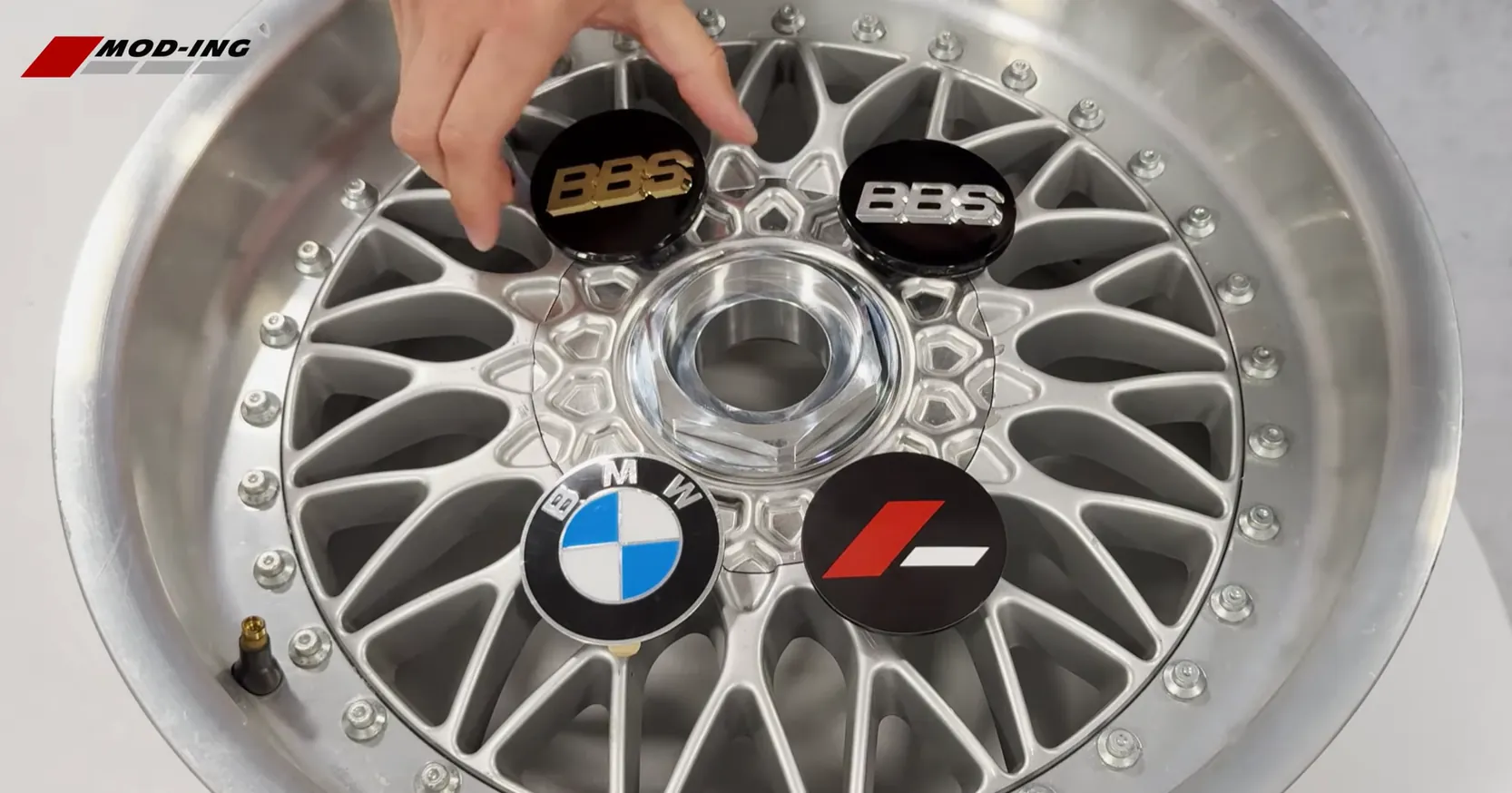
The threaded hexagon accepts original-style three-prong BBS centre emblems, including OEM BBS emblems.
Simply align the three retaining tabs and press the emblem firmly into place.
Every Mod-ing kit also includes a blank emblem holder for owners wishing to install an adhesive emblem such as a 70 mm BMW roundel or another custom logo.
Both options fit the same hexagon without modification.
Final Inspection
Before driving, inspect the completed assembly.
Check that:
- The three adapter screws are fully tightened.
- The adapter sits securely against the wheel.
- The waffle plate is correctly aligned.
- The hexagon is threaded fully into the adapter.
- The centre emblem is securely installed.
- The centre cap sits flush without movement.
After the first drive, it is good practice to recheck that the adapter screws remain tight, particularly if the wheels have recently been refinished or powder coated.
Removing the Centre Cap
To remove the centre cap, simply unscrew the hexagon using an Allen key or the optional Mod-ing hex key wrench.
Once removed, lift the waffle plate away from the adapter.
If access to the wheel bolts is all that is required, the adapter can remain installed.
To completely remove the system, undo the three mounting screws and lift the adapter out of the wheel centre.
Installation Tips
When mounting Mod-ing RS-looks BBS RC aluminum wheel center caps always start the hexagon by hand before using a wrench. This prevents damage to the threads and ensures the hexagon seats correctly.
If your wheels have recently been powder coated or painted, inspect the adapter seating area before installation. Excess coating thickness may prevent the adapter from sitting completely flush.
Avoid using power tools or impact drivers when tightening the adapter screws or hexagon. Hand tools provide better control and reduce the risk of damaging the aluminium components.
With the adapter correctly aligned and the centre cap assembled as described above, your BBS RC wheels will retain the original factory appearance while allowing quick and easy removal whenever access to the wheel bolts is required.
Video Tutorial
Prefer watching the complete installation before starting? The video below demonstrates the entire assembly process, including adapter installation, waffle plate alignment, hexagon installation and emblem fitting.
The written guide below follows the same steps shown in the video, making it easy to follow along while assembling your centre caps.